

UI/UX Design


- 2 Apr, 2024
- 406 Views
- 0 Comment
Website Launch Checklist Intro
Gone are the days of launching a website and crossing your fingers, hoping for the best.
With so much at stake – from lost sales and tarnished reputations to missed opportunities – it’s more important to ensure your website is ready for launch before you make it public.
To help you out, we’ve put together a pre-launch checklist of over 15 things you should do before launching your site.
This website launch checklist will help you ensure that your website is ready for prime time and that you’re taking advantage of all the latest best practices.
#1: Check for Small, Overlooked Errors
No website is perfect. But you don’t want to launch your site with any avoidable errors that could tarnish your credibility or frustrate your visitors.
Right from proofreading your content to checking your site’s architecture and making sure all your links work, there are several things you can do to make sure your website is ready for prime time.
It would help if you also looked for minor errors with videos, images, and other multimedia content:
- Ensure that all videos and images are correctly optimized.
- Check for broken links to multimedia content.
- Make sure all videos and images load properly.
- Add alt text to all videos and pictures.
These errors may seem small, but they can make a big difference in the user experience. You’ll ensure that your site is as polished as possible by taking care of them before launch.

#2: Add a Helpful Contact Page
Your website should include a contact page with all the necessary information for people who want to get in touch with you. This includes your address, phone number, email address, and a contact form.
If you have a physical store, mention that on your contact page. And don’t forget to include a map if you’re providing directions.
If you sell products or services online, you should also list your business hours on your contact page.
Here are some other things to keep in mind when creating your contact page:
- Make sure the page is easy to find—the best place to put it in your site’s main navigation menu.
- Include a prominently placed contact form.
- Make sure your contact information is up to date.
- Include an opt-in form for subscribers.
Without a contact page, people who want to contact you will have difficulty doing so. And that isn’t good for business.
#3: Optimize Your Homepage for Conversions
Your homepage is often the first stop for visitors to your website. As such, it’s essential to make sure your homepage is optimized for conversions.
That means your homepage should be focused on your visitors’ needs, and it should offer a clear path to what you want them to do next.
Your homepage should also be visually appealing and easy to navigate. And it should include all the necessary information for people interested in learning more about your business.
Here are some other things to keep in mind when optimizing your homepage for conversions:
- Include a strong headline that tells visitors what you do.
- Make sure your logo and branding are consistent throughout your website.
- Add high-quality images and videos.
- Include clear and concise descriptions of your business.
- Use a call to action (CTA) that tells visitors what you want them to do next.
If your homepage isn’t optimized for conversions, you miss out on a significant opportunity to turn visitors into customers or clients.
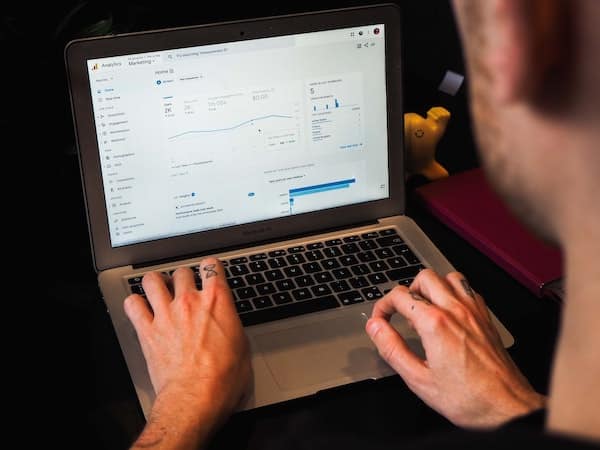
#4: Set up Google Analytics
Tracking traffic and learning about your target audience is essential for any website. Fortunately, Google Analytics makes it easy to do both.
Google Analytics is a free tool that gives you insights into your website’s traffic and performance. Here are a few things that you can easily monitor using Google Analytics:
- How many people visit your website
- Where do your visitors come from
- What pages do they see most often
- How long do they stay on your site
- What devices do they use to access your website
- Which browsers do they use
- The countries your visitors are from
- Your most popular content
- Conversion rates
- The performance of your marketing campaigns
You can also use Google Analytics to track your goals and see how well your website is performing.
If you don’t have this powerful tool set up on your website, now is the time to do it. It’s easy to set up and it’s free, so there’s no reason not to use it.
#5: Test Your Website’s Usability
Your site’s usability is critical for keeping visitors on your site and converting them into customers or clients, and it’s also necessary for SEO purposes.
There are a few key things you can do to test your website’s usability:
Conduct user testing: User testing is observing real people using your website and how they interact with it. You can do this in person or online.
Use heatmaps: Heatmaps visually represent where people are clicking on your website. This can help you see which parts of your site are the most popular and which areas need improvement.
Use A/B testing: A/B testing tests different web page versions to see which one performs better. This can help you improve your website’s usability and conversion rates.
Besides doing this, you should also ensure:
- The call-to-action buttons are easy to see.
- The autoresponder is working correctly.
- The forms are easy to fill out and submit.
- The live chat is available and easy to use.
- The payment processing is smooth and secure.
- The website is accessible from all devices.
If you’re not sure how well your website performs in terms of usability, now is the time to find out. The sooner you address any usability issues, the more likely you will keep visitors on your site and convert them into customers or clients.
#6: Check Your Navigation
One of the most important aspects of any website is its navigation. If people can’t find their way around, they’ll leave your site in a hurry.
That’s why it’s essential to check your navigation before launch. Ensure all your links work and that the navigation is easy to use, and you’ll be one step closer to a successful launch.
Keep these things in mind when checking your navigation:
- Use clear and descriptive labels for your links.
- Logically organize your links.
- Use drop-down menus for subcategories.
- Include a search bar.
A sound navigation system is essential for a website’s success. By taking the time to check it before launch, you can be sure that your visitors will be able to find their way around your site easily.
#7: Make Sure Your Site’s Mobile Friendly
In today’s mobile-first world, it’s essential to have a website that works well on all devices. If your site isn’t mobile-friendly and functional, you’re missing out on a significant opportunity to reach and engage your target audience. Google has also announced that it judges the performance and usability of websites using mobile so this is a critical step in the website launch checklist.
Your text should be easy to read, and your buttons should be easy to tap. You should also make sure your website loads quickly on all devices.
To make sure your site is mobile-friendly, use Google’s Mobile-Friendly Test tool. Enter your website URL and click on the “Analyze” button. The tool will tell you if your website is mobile-friendly or not.
#8: Review Browser Compatibility
Your website looks fine in Google Chrome. Great.
But is it enough? No.
Your site needs to appear well in different versions of all major browsers, including:
- Google Chrome
- Mozilla Firefox
- Internet Explorer
- Safari
- Opera
- Microsoft Edge
To test your website’s compatibility with different browsers, you can use a tool like BrowserStack. It allows you to test your website in other browsers and operating systems.
It’s essential to test your website in as many browsers as possible because different browsers render websites differently. What looks good in one browser might not look so good in another.
#9: Make sure you aren’t blocking robots
Turning on the option to block robots from crawling your website is a great website launch checklist tip. The last thing you want is your website showing up on search engine pages while you’re still working on it.
What tends to happen is that you decide to launch your website, and you forget to turn this setting off. The result is that a website can partially or completely disappear from Google until this setting is turned off.
In WordPress, it’s easy to turn this setting on by navigating to Settings > Reading and turning on the “Discourage search engines from indexing this site” option.
This will instruct search engine bots not to index your website while the setting is turned on.
Just remember to turn it setting off once you are ready to go live.

#10: Create a Custom 404 Page
If someone clicks on a broken link or tries to access a page that doesn’t exist, they will see a 404 error message. This can be frustrating for visitors and make them leave your site.
To avoid this, you should create a custom 404 page. This is a page that people will see when they try to access a non-existent page on your site.
Your 404 page should include:
- A friendly message.
- A search bar so people can find what they’re looking for.
- Links to your most popular pages.
- Your contact information.
A custom 404 page can help visitors navigate your site and keep them from leaving. You can also use it as an opportunity to promote your brand.
#11: Check All Your URLs
Before you launch your website, you need to check all your URLs. This includes links to other websites, pages on your site, images, files, etc.
To check your URLs, you can use a tool like Screaming Frog. This tool will crawl your website and review all your URLs for errors.
If you find broken links, you need to fix them before launch. You can do this by:
(a) Updating the link to point to the correct page.
(b) Deleting the link altogether.
(c) Redirecting the link to another page on your site.
If you don’t check your URLs, you risk broken links and 404 errors. Having broken links can really hurt your SEO efforts so make sure you do this as part of your website launch checklist.
#12: Have Clear Calls-to-Action
You have to ensure your website has clearly defined call-to-action elements. Because if it doesn’t, the visitors you drive to your site will have no idea what to do next.
As a result, they’ll leave without taking any action.
Your call-to-action (CTA) should be:
(a) Easy to spot.
(b) Descriptive.
(c) Actionable.
Use active language in your CTA, such as “sign up” or “download.” And make sure it’s easy to find on your website. The last thing you want is for people to leave your site confused without taking any action.
#13: Confirm Your SSL
Did you know that your website needs an SSL certificate? This security protocol encrypts information sent between your website and visitors’ browsers.
These days, it’s pretty much mandatory. That’s because Google now considers sites without SSL certificates as “not secure.”
Adding an SSL certificate to your site is pretty straightforward, and you can usually do it through your web hosting control panel. Once you add the SSL certificate, you should check that it’s working correctly.
You can do this by visiting https://www.ssllabs.com/ssltest/. Enter your website’s URL and click on the “Submit” button.
If your SSL certificate is working correctly, you should see a “Grade A.” Anything less than that means there’s an issue with your SSL certificate, and you need to fix it before launch.
#14: Check All Your Forms
If your website has any forms (e.g., contact form, subscription form, etc.), you must test them to ensure they’re working correctly. There is nothing worse than losing out on leads because your forms aren’t working.
To do this, simply fill out the form and submit it. Then check your email to see if you received the submission.
If you use a tool like Gravity Forms, you can also check the entries in your WordPress dashboard to see if the form was submitted successfully.
It’s essential to test your forms before your website launch checklist is complete because you don’t want to miss out on any leads or sales.
#15: Do a Final Code Review
Before launching your website, you need to do a final code review. This is where you check your website’s source code for any errors.
One tool you can use for this is W3C Markup Validation Service. Just enter your website’s URL and click on the “Check” button.
If you see any errors, you need to fix them before launch. Even minor mistakes can cause significant problems down the road.
Your goal is to have a “clean” codebase before launching your website.

Website Launch Checklist Conclusion
Whether you’re launching a new website or redesigning an existing one, it’s essential to go through this website launch checklist. This will help ensure that your website is ready for launch and avoid potential issues.
Plus, you can launch your website with confidence, knowing that everything is in order by taking the time to do things right. It’s the least you can do to give your website the best chance for success.



DROP US A LINE
Connect with Adivinar
Ready to take the first step towards unlocking opportunities, realizing goals, and embracing innovation? We're here and eager to connect.

To More Inquiry
+1 656 786 53

To Send Mail